There are plenty of websites where you can buy social media services. Finding reliable information about the businesses behind those websites is considerably harder.
Search for an SMM panel and you’ll encounter providers advertising thousands of services, reseller APIs, low wholesale prices, and various delivery guarantees. One company calls itself a main provider. Another claims to have the largest catalog. A third offers similar-looking services but gives you very little information about where they come from.
You could spend an afternoon opening panel websites, checking service lists, and comparing prices without getting a particularly clear picture of the options available.
This is the problem SMMCin is designed to address.
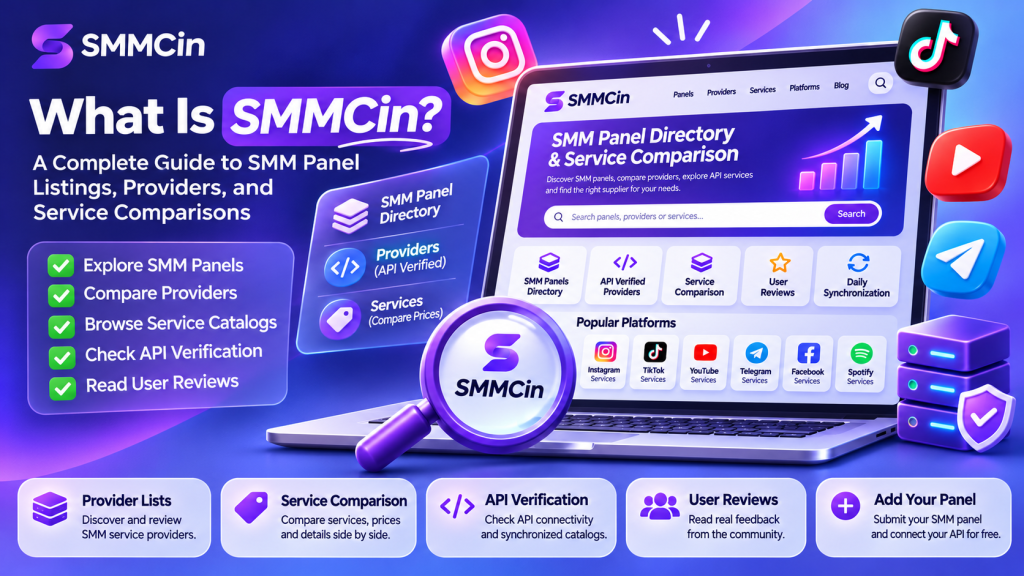
SMMCin is an SMM panel directory and service comparison platform that organizes information about social media service providers, their published catalogs, API availability, and service pricing. Instead of acting as another storefront, it gives visitors a place to research panels before deciding which provider they want to investigate further.
The distinction matters. SMMCin doesn’t sell the services appearing in its directory. Its purpose is to make provider information easier to find, browse, and compare.
That includes businesses offering Instagram, TikTok, YouTube, Telegram, Facebook, and Spotify services, along with the technical details that interest resellers and agencies.
The platform also has tools for searching individual services, viewing synchronized provider catalogs, comparing panel profiles, and submitting new SMM panels for inclusion through an API verification process.
But how much can you learn from an SMM directory? What do the service prices actually represent? And what does it mean when a provider is marked as API verified?
To understand where SMMCin is useful, it helps to look at the different parts of the website and the information each one provides.
What Exactly Is SMMCin?
SMMCin is a web-based information platform built around SMM panel discovery.
An SMM panel is generally a website that offers access to social media-related services, often through a searchable catalog and an account-based ordering system. These services can include engagement-related offerings, account services, and other products listed by the provider.
Some panels serve individual customers. Others focus on resellers, marketing businesses, or agencies that need API connectivity.
SMMCin approaches this market from a different direction.
Rather than presenting its own checkout page for the services in the directory, the website brings together publicly described panel information and service data obtained from connected provider APIs.
Visitors can browse panel listings, inspect provider profiles, search individual services, and examine published rates.
A typical SMM panel asks customers to choose a product and place an order.
SMMCin helps them answer the questions that come before that decision:
Which providers are listed? Does a panel offer API access? What services appear in its catalog? How do those services differ? When was the provider’s information last synchronized?
The website brings these questions into one research environment.
It also provides a way for eligible SMM panel operators to submit their own websites and connect their service catalogs.
That’s what makes SMMCin more than a collection of panel names. It connects provider listings with information about the services those providers publish.
Three Ways to Explore the SMM Panel Market
One of the useful distinctions in SMMCin’s structure is the separation between panel listings, verified API providers, and individual services.
These sections are related, but they answer different questions.
The SMM Panel Directory is designed for discovering websites and reviewing their profiles.
The Verified Providers section focuses on panels whose submitted APIs have successfully provided service data.
The Services Directory lets visitors examine individual catalog entries from connected providers.
Imagine that you’re looking for a new supplier for your business.
If you don’t know which companies to investigate, the general panel directory is a sensible starting point.
If API connectivity is essential, the verified-provider list narrows the research to businesses with a successfully checked service endpoint.
If you already know which kind of service you’re researching, going directly to the service catalog can save time.
There isn’t a single route through the website that everyone needs to follow. Its organization allows visitors to begin with the information they actually need.
Exploring the SMMCin Panel Directory
The panel directory is the most natural place to start when you’re unfamiliar with the available providers.
Open smmcin.com/panels/ and you’ll find a directory of SMM panel websites.
The page offers two presentation options: a simple list and a more detailed card view.
This might sound like a minor interface choice, but the two layouts are useful for different purposes.
Simple List: Finding Panel Names Quickly
The simple list is intended for straightforward browsing.
You can search for panel names or domains and use the API verification filter to narrow the results.
Each entry links to a more detailed panel profile.
This layout is particularly convenient when you’re trying to locate a specific company.
For example, if someone gives you the name of a panel and you want to see whether it appears in the directory, a direct search is more practical than scrolling through elaborate comparison cards.
The list also separates directory discovery from detailed supplier evaluation.
You can identify a few candidates first and examine them individually afterward.
Detailed Cards: Reviewing More Information
The detailed cards view provides a richer set of filters.
Visitors can explore panel information using available criteria such as platform, panel type, API availability, and sorting options.
The cards display published details that may include the panel’s domain, API status, service count, and available pricing information.
Not every provider has every field populated.
A missing starting price shouldn’t automatically be interpreted as a free service or an unavailable panel. It may simply mean that the corresponding information hasn’t been published in that listing.
The detailed view also provides a panel comparison feature.
Comparing Up to Three SMM Panels
SMMCin allows visitors to select up to three available panel listings for side-by-side comparison.
This is useful when you’ve narrowed down a larger search and want to examine a few candidates together.
Instead of remembering what each profile says, you can look at their published attributes in a common comparison view.
For someone evaluating several reseller options, that reduces the need to move repeatedly between different tabs.
The comparison is based on information available in the listings. It should not be confused with an independent test of order delivery, support response times, or service quality.
A directory can help reveal differences between providers. Deciding whether those differences matter still requires understanding your own requirements.
What Does an API-Verified Provider Mean?
The word “verified” deserves a clear explanation because it can easily be misunderstood.
On SMMCin, API verification refers to a technical check of the provider’s submitted API connection.
An SMM panel API is an interface that allows another system to communicate with the panel. Depending on the provider, supported operations may include retrieving services, creating orders, checking order statuses, and accessing account information.
SMMCin uses an authorized API connection to request the provider’s service catalog.
When verification succeeds and the service data can be imported, the connected provider becomes available through the relevant directory features.
The API-Verified Providers page displays providers whose submitted endpoints have passed this technical process.
It also shows information such as synchronized service counts and the date of the latest successful synchronization.
For a reseller researching API-based suppliers, this is useful evidence that a provider has exposed an accessible service catalog.
It doesn’t tell the entire story of the company.
An API connection cannot independently establish whether a supplier owns its services, whether orders are delivered as advertised, or how its support team handles difficult cases.
SMMCin makes that distinction explicit.
API verification confirms technical access to service data. It is not a certification of business reliability or delivery performance.
If you’re comparing providers for regular business use, treat verification as one piece of information rather than a final endorsement.
What Information Appears in the Verified Provider List?
The verified-provider directory is designed to be relatively straightforward.
A provider entry identifies the panel and shows its published synchronization information.
In the November 19, 2026 directory snapshot, SMMCin listed two API-verified providers: SMMSOC and Sosyal Mediyam.
The snapshot displayed 2,876 synchronized services for SMMSOC and 822 for Sosyal Mediyam.
Those figures are useful for illustrating what the directory contains, but they are not permanent statistics. Provider catalogs can change, and additional panels may be added over time.
There is also an important distinction between the number of synchronized service records and the number of independently verified, actively deliverable products.
A catalog may contain multiple variations of similar services, entries with different regional specifications, or temporary service notices.
The service count describes the size of the imported catalog. It isn’t a quality score.
From the provider directory, visitors can open a panel profile or browse the corresponding service records.
That creates a useful connection between discovering a business and inspecting what it publishes.
Instead of stopping at a company name, you can move directly into its associated catalog.
The SMM Service Directory: Searching Beyond Panel Names
The SMMCin Services page is one of the most practical parts of the website.
While the general panel directory focuses on companies, the service directory focuses on individual catalog entries.
This becomes useful when you already have a service category in mind.
Suppose you’re researching Instagram video views.
You could visit several provider websites separately, find their Instagram categories, and search through each catalog.
Or you could begin with a combined service directory containing published records from multiple connected providers.
SMMCin provides filters that help organize that search.
Search by Service Name or ID
Each service is associated with an identifier supplied by its provider.
You can search by name or ID, making it easier to locate a particular catalog entry.
Service IDs are especially useful when a provider publishes several products with similar descriptions.
For example, the SMMCin catalog snapshot included SMMSOC service IDs 3545 and 4029, both described as Instagram video-view services.
Their displayed prices were similar, but the descriptions included different supplier-provided details.
A search by service ID lets you locate the specific entry rather than relying only on a broad name.
IDs are generally specific to the provider’s catalog. An identical number on another panel might represent a completely different service.
Filter by Provider
If you want to examine services belonging to one company, the provider field narrows the results.
This can be useful when researching an existing supplier or checking which products appear in its synchronized catalog.
For instance, someone already working with SMMSOC could examine the corresponding records without mixing them with services from another panel.
The ability to filter by provider also makes it easier to investigate a particular listing after discovering it in the directory.
Filter by Category
SMM catalogs contain many different service types.
A broad search can return records that don’t match the activity or platform you intended to investigate.
Filtering by category reduces irrelevant results.
Someone interested in Telegram post views, for example, doesn’t need to examine unrelated Instagram follower or Spotify play listings.
Category filtering makes the catalog more manageable, especially as the number of connected providers grows.
Filter by Order Quantity
SMM services have minimum and maximum order quantities.
A low-priced service isn’t useful for a particular request if it doesn’t accept the intended quantity.
SMMCin includes an order-quantity filter that helps find records whose published minimum and maximum limits accommodate the amount entered.
This is an advantage over comparing prices without looking at order restrictions.
The output remains a catalog comparison, however. Final availability and ordering conditions should still be confirmed through the provider.
How SMMCin Displays Service Prices
SMM providers don’t all publish prices in the same currency.
A panel serving international customers may use US dollars. Another supplier may publish its services in Turkish lira or a different local currency.
Comparing those values without conversion can be confusing.
SMMCin addresses this by displaying estimated US dollar equivalents when the provider’s currency and a suitable exchange rate are available.
The original API-reported amount may also be shown alongside the converted estimate.
For example, a service originally priced in Turkish lira can appear with an estimated USD value, allowing a visitor to compare it with a service listed directly in dollars.
The website uses reference exchange-rate information or configured conversion values for these estimates.
This distinction matters because a converted catalog price is not necessarily the exact amount that a customer will pay at checkout.
A provider can apply its own exchange rate, update service pricing, or charge additional payment-related fees.
When SMMCin cannot identify a supported currency conversion, it does not simply invent a dollar value.
The service directory uses price sorting to help visitors examine low-rate entries, but that sorting reflects catalog information rather than a guarantee of purchase availability.
For a more focused explanation of price comparison, readers can explore SMMCin’s Cheapest SMM Panel guide.
The service directory itself is a research tool, not a payment calculator or an official price quotation.
Comparing Services Across Different Social Platforms
SMMCin provides dedicated pages for several major social media platforms.
These pages use the same general service-search approach while narrowing the available records to a particular network.
This is useful because the meaning of a service changes from one platform to another.
Instagram Services
The Instagram service directory includes published records relating to Instagram activity.
Depending on the connected providers’ catalogs, these may include followers, likes, video views, Reels-related services, shares, and other categories.
The real value comes from distinguishing between similar service descriptions.
Two Instagram view listings might support different link types, have different published delivery conditions, or apply different refill terms.
SMMCin helps visitors find those entries and examine their published details within the same category.
TikTok Services
The TikTok service directory brings together TikTok-related listings from connected providers.
TikTok views, likes, followers, saves, and shares represent different activities.
A service called “TikTok Video Save” shouldn’t be compared with a standard video-view service as though the two products are interchangeable.
Category-specific browsing helps reduce those mistakes.
The directory may also include records whose descriptions indicate that they should not be used for ordering. Such warnings are part of the imported supplier information and should not be ignored simply because a price appears attractive.
YouTube Services
The YouTube service directory contains services associated with YouTube.
Depending on the supplier, the catalog can include video-related services, subscribers, likes, or Shorts-specific products.
YouTube has its own rules for valid engagement, monetization, and artificial activity. A third-party catalog listing does not establish that a purchased service will meet those requirements.
SMMCin provides service information, not a promise that YouTube will accept or count the resulting activity.
Telegram Services
Telegram catalogs can be particularly detailed because providers may offer separate products for different numbers of posts.
The Telegram service directory helps visitors explore those records.
For example, one listing may describe a service covering the latest post, while another refers to multiple recent posts.
Those differences are relevant even when the prices are close.
Knowing exactly what the supplier describes is essential before comparing the offers.
Facebook and Spotify Services
SMMCin also includes dedicated directories for Facebook and Spotify.
Facebook catalogs may contain video views, reactions, shares, and other engagement-related services.
Spotify listings can involve plays, followers, saves, or different geographic and content-related specifications.
In both categories, visitors can explore the records published by connected providers instead of searching each supplier’s catalog independently.
Platform-specific navigation is one of the site’s useful organizational features. It keeps the directory accessible to visitors who know the social network they’re researching but haven’t selected a supplier.
What Can You Learn From an Individual Provider Profile?
A directory listing gives you a starting point. A provider profile provides more context.
On SMMCin, individual panel pages can include the company’s domain, API availability, synchronized service catalog, and other published information.
For example, the SMMSOC profile presents its associated API service catalog and allows visitors to search the records.
The Sosyal Mediyam profile offers a similar way to inspect the services published through that panel’s connection.
This is more informative than a directory entry containing only a company name and website address.
If you’re researching a provider for possible business use, you can examine the catalog before leaving SMMCin.
You can also see the synchronization date, which helps establish when the imported data was last updated.
Why the Last Sync Date Matters
Imagine finding a service you want to investigate, only to discover that its published information was last synchronized a long time ago.
The listing may still be useful as a historical reference, but there is greater uncertainty about whether the current supplier catalog matches it.
A recent synchronization gives you more timely information.
It still doesn’t guarantee that a particular service remains active at the exact moment you’re viewing the page.
Provider systems can change between synchronization cycles.
The date helps you understand the age of the information, which is often more useful than pretending every published price is permanently current.
User Reviews and the SMMCin Trust Score
SMMCin’s provider profiles also include a community-feedback feature.
Visitors can submit ratings and written reviews about listed providers.
Reviews are subject to moderation before publication, and the profile can display an aggregate user rating once eligible feedback is available.
The website also uses an indicative Trust Score.
This is worth explaining because scoring systems can look more authoritative than the information behind them.
According to SMMCin’s published methodology, the score combines approved user ratings with technical indicators.
User feedback contributes 70% of the weighting. API verification, recent catalog synchronization, and a recent successful site check each contribute 10%.
A score is displayed only after at least three approved reviews are available.
When there are insufficient reviews, the profile may display a pending status instead of a numeric Trust Score.
This is a more transparent approach than displaying an unexplained number, although the limitations remain significant.
User reviews reflect the experiences and opinions submitted by individuals. Moderation does not independently verify every reported transaction.
The technical indicators show specific operational checks, not comprehensive fulfillment performance.
A high score should therefore be read as an indicative combination of available feedback and checks, rather than an independent guarantee.
For someone researching a supplier, reviews may provide additional context or reveal questions worth asking.
They should be considered alongside the provider’s own documentation and policies, rather than used as the only basis for a decision.
Why SMMCin Doesn’t Rank Every Provider as Best or Worst
Many comparison websites organize businesses into numbered rankings.
A numbered list is convenient. It also creates the impression that the company in first place has been objectively established as better than the company in second.
Doing that responsibly requires consistent evaluation criteria and reliable evidence.
A directory containing provider domains and API catalog information doesn’t automatically have the information needed to produce such rankings.
SMMCin identifies its panel listings as informational rather than an overall quality ranking.
That approach makes sense for the type of data the platform currently publishes.
A provider with more services is not automatically more reliable.
A panel with fewer services might specialize in a particular category.
A supplier with a recent API synchronization may have an accessible catalog but still experience problems with individual orders.
Likewise, a review score can provide a useful reference without proving that every customer will have the same experience.
SMMCin separates these kinds of information instead of treating them as interchangeable evidence.
For users, the benefit is the ability to form a shortlist based on their own requirements.
Who Can Benefit From Using SMMCin?
SMMCin serves different kinds of visitors, although not everyone uses the same features.
SMM Panel Resellers
A reseller operating an SMM panel needs access to suitable suppliers and service catalogs.
SMMCin can help identify API-connected providers and examine their published services.
It can also be useful when reviewing alternative suppliers for a particular category.
A reseller might begin with the provider list, inspect several profiles, and then examine the services associated with those companies.
This doesn’t replace integration testing, but it can make the supplier discovery stage more organized.
Digital Marketing Agencies
Agencies may work across several social networks and need to understand which services are available from different businesses.
A combined directory makes it easier to investigate providers without beginning from scratch each time.
Agencies should also evaluate whether a service is consistent with the relevant platform rules and their clients’ objectives.
SMMCin’s catalog helps with discovery; it does not establish that every listed service is appropriate for a particular campaign.
Developers Working With SMM APIs
Developers integrating SMM suppliers into reseller software are interested in technical compatibility.
The API-verified provider list can serve as an initial directory of panels whose service endpoints have been checked successfully.
A developer can then visit the supplier’s own website to review its full API documentation.
That step remains necessary because accessing a service list is only one part of a complete order-management integration.
People Researching SMM Panels
Some visitors simply want to learn what providers exist and what kinds of services they publish.
They may not operate a reseller business or have any interest in using APIs.
For them, the basic directory and platform categories are often enough.
They can explore the market without first creating accounts on numerous SMM panel websites.
Adding an SMM Panel to the Directory
SMMCin isn’t designed solely for visitors researching existing listings.
It also provides a submission process for SMM panel operators who want their websites included.
The Add Your Panel page allows an authorized operator to submit a panel through API verification.
The website currently describes this as a free submission process.
The essential requirements are a panel domain, a valid HTTPS API endpoint, and an API key that can access the service catalog.
The API URL must use the panel’s domain or an authorized subdomain.
How the Submission Process Works
The process begins with a domain check.
SMMCin checks whether the submitted panel is already present, helping prevent duplicate directory entries.
The operator then supplies the API endpoint and appropriate credentials.
The system requests the service list to determine whether the submitted endpoint is usable.
When verification and service import succeed, the panel and its catalog can be published automatically.
SMMCin describes daily synchronization for these submitted catalogs, helping the directory reflect subsequent changes.
For panel operators, this removes the need to manually enter hundreds or thousands of individual services into a separate directory.
It also connects the provider listing to the actual service information returned by its API.
What Happens to the API Key?
The submission process necessarily involves sensitive credentials.
SMMCin states that submitted API keys are used for verification and service synchronization, stored in encrypted form, and not exposed in public HTML or API responses.
These are the platform’s published handling practices, not the results of an independent security audit.
Panel owners should only submit credentials they are authorized to manage and should protect those credentials according to their own security procedures.
A credential belonging to another company should never be submitted without authorization.
The broader point is that SMMCin’s automated listing process depends on an authorized connection to a provider’s service catalog.
How Daily Synchronization Changes a Provider Directory
Traditional web directories often depend on someone manually editing every listing.
That approach becomes difficult to maintain when provider catalogs contain thousands of records and change frequently.
SMM services can be added, renamed, repriced, or removed.
Order limits may change. A service can move from active availability to a temporary interruption. A supplier may publish new categories or adjust its existing descriptions.
SMMCin uses API synchronization to reduce the need for manual catalog maintenance.
When a connected provider publishes updated information and the synchronization succeeds, the directory can refresh the associated records.
The value of this approach is straightforward: the information has an identifiable source and update process.
However, automated synchronization also means supplier descriptions are imported as published.
A supplier might use unusual wording, abbreviations, promotional claims, or warnings inside its catalog.
Those descriptions shouldn’t automatically be interpreted as editorial conclusions from SMMCin.
The directory organizes data from participating providers. It does not rewrite every service entry into a standardized independent product assessment.
Reading Service Descriptions Correctly
An SMM service name can contain more information than its category.
You might encounter descriptions that include terms such as “Instant Start,” “No Refill,” “Cancel Enable,” or a stated daily processing speed.
These are usually part of the supplier’s own service information.
They may help you understand the intended specifications, but their wording can vary.
For example, “Instant Start” may refer to a supplier’s advertised processing behavior. It isn’t necessarily a measured start-time guarantee.
A refill period describes an available policy subject to the provider’s conditions, rather than automatic protection against every possible decline.
Some services include warnings that customers should not place orders through that particular record.
Those warnings are especially important in low-price searches because an unusable listing may still display a numerical rate.
This is a good example of why a comparison directory should be used thoughtfully.
The data helps locate potential options. The service description provides context. The supplier remains responsible for confirming the actual order conditions.
A Practical Example: Researching a Provider With SMMCin
Consider someone managing an agency that wants to investigate suppliers offering services across Instagram and Telegram.
The agency currently uses one panel but wants to understand what other providers are publishing.
Rather than immediately creating accounts at unfamiliar websites, the person opens the SMMCin directory.
The first step is to examine the available panel listings.
From there, the researcher can use the API-verified provider section to identify suppliers with connected catalogs.
Next comes the service directory.
The researcher selects the relevant platform and searches for a specific service type.
For Instagram, that might be a particular type of video-view service. For Telegram, it could be a post-view service covering a defined number of posts.
At this point, the directory offers a list of available catalog records and their associated providers.
The researcher can compare the published descriptions, check quantities, and note the estimated rates.
Once a suitable candidate has been identified, its provider profile offers additional context.
The researcher can see the latest synchronization information and any available community feedback.
The final step happens outside SMMCin: contacting the supplier or reviewing its own website to confirm current terms and technical capabilities.
This workflow is useful because it separates discovery from purchasing.
Instead of committing to a supplier based on a single advertisement, the researcher gathers enough information to ask more specific questions.
Using SMMCin to Review an Existing Supplier
The directory can also be useful after you’ve already selected a provider.
Suppose your reseller business uses one upstream panel and you want to examine its published service catalog without searching through the entire website.
You can open the corresponding SMMCin profile and look for individual services by name or ID.
This can help you identify published catalog entries and compare them with records in your own system.
It may also be useful when checking whether the provider’s API has recently synchronized with the directory.
However, SMMCin is not designed to replace your internal service monitoring or order-status infrastructure.
It doesn’t have access to your private customer orders merely because it imports public service information.
A reseller still needs proper order tracking, error handling, and supplier communication within its own system.
The directory is best treated as an additional research resource rather than the system responsible for managing customer orders.
What SMMCin Can and Cannot Tell You
A useful way to understand the platform is to separate the information it displays from the information that requires independent confirmation.
SMMCin can show published provider details, imported service records, API verification status, available review information, and catalog synchronization dates.
It can help you discover suppliers and examine selected attributes in a common interface.
It cannot establish every company’s private supply-chain relationships simply by importing its service catalog.
Nor can it guarantee that a published service will be available at checkout, that an advertised delivery speed will be achieved, or that activity will comply with the relevant social platform’s policies.
These aren’t unusual limitations. They reflect the difference between a service-information directory and an independent fulfillment audit.
A price comparison tool does not need to control the transaction to be useful.
A provider directory does not need to certify every business to help visitors find companies worth investigating.
What matters is that the information is described accurately and users understand how to interpret it.
What Makes a Useful SMM Panel Comparison Platform?
A directory containing only panel names can help users discover websites.
But names alone don’t answer many of the questions that matter during supplier research.
An informative directory benefits from connecting each company to more detailed records.
For SMMCin, those connections include provider profiles, API status, synchronized service catalogs, platform categories, and available feedback.
Searching by service ID is useful for people who already know the catalog entry they need.
Filtering by quantity helps narrow services to those whose published limits are relevant.
Estimated currency conversion makes international catalogs easier to read together.
The distinction between simple listings and detailed comparison views accommodates different research styles.
And allowing authorized providers to submit an API connection creates a mechanism for expanding the directory without manually constructing every service record.
None of these features alone determines the quality of a supplier.
Together, they create a more informative way to navigate an industry where service names, prices, and claims often vary considerably.
Frequently Asked Questions About SMMCin
What is SMMCin used for?
SMMCin is used to discover SMM panels, browse provider profiles, search published service catalogs, and compare available panel information. It also includes API verification details and tools for researching providers across different social media platforms.
Is SMMCin an SMM panel that sells services?
No. SMMCin operates as an informational directory and comparison platform. It does not act as the checkout system for the listed services. Orders and payments take place on the individual providers’ websites.
Can I compare SMM panels on SMMCin?
Yes. The directory offers searchable panel listings and a detailed cards view, with the ability to compare up to three available panel profiles. Comparisons are based on published information rather than independent delivery testing.
Does SMMCin display SMM service prices?
Yes. The services directory displays rates imported from connected provider APIs. When suitable currency information is available, estimated US dollar equivalents can be shown alongside original amounts. Actual supplier charges may differ.
What does API verified mean on SMMCin?
API verified indicates that the submitted provider endpoint successfully passed a technical service-catalog verification process. It confirms access to data at the time of checking, not a guarantee of delivery quality or business reliability.
Which social media platforms are included?
SMMCin has dedicated service directories for Instagram, TikTok, YouTube, Telegram, Facebook, and Spotify. The available records depend on the catalogs published by connected providers.
How often is service information updated?
SMMCin describes daily synchronization for connected provider catalogs. The relevant provider pages also display synchronization information, allowing visitors to see when a catalog was last updated successfully.
Can I add my own SMM panel to SMMCin?
Yes. Authorized panel operators can use the Add Your Panel page to submit a domain, an HTTPS API endpoint, and valid API credentials. Successful verification and service import allow the listing to be published through the platform’s process.
Are SMMCin’s provider reviews verified purchases?
SMMCin moderates submitted reviews, but moderation does not establish that every reported experience has been independently verified against a completed transaction. Reviews should be read as community feedback.
Is SMMCin’s Trust Score a certification?
No. The Trust Score is an indicative measure combining eligible user ratings and recent technical checks. It is not a formal certification of supplier quality, ownership, or service performance.
Can I use SMMCin without creating an account?
The public directory, provider listings, and service research pages can be browsed without creating an account on each listed supplier’s website. Provider submission, however, requires authorized API information.
Is SMMCin suitable for reseller supplier research?
Yes. The platform offers provider discovery, API-related information, service catalogs, and synchronization details that are relevant to reseller research. Resellers should still review each supplier’s API documentation, pricing, service policies, and operational procedures before integrating it into their own systems.
SMMCin Brings Provider Research Into One Place
The hardest part of researching SMM panels isn’t always finding businesses. It’s making sense of the information they publish.
One provider may list thousands of services. Another might specialize in a smaller number of categories. Prices can appear in different currencies, service names may overlap, and API availability doesn’t necessarily reveal how a supplier operates behind the scenes.
SMMCin organizes several useful parts of that research in one place.
Its panel directory helps visitors discover websites and explore published profiles. The verified-provider section provides information about successfully connected service APIs. The service directory brings individual catalog records into a searchable interface, while platform-specific pages make category research more manageable.
Provider profiles add another layer through synchronized catalogs, available reviews, and technical status information.
For SMM panel operators, the free submission process provides a way to connect an authorized catalog to the directory.
The result is a website built around a practical idea: SMM panel research becomes easier when provider information and service data are accessible together.
SMMCin doesn’t need to process orders or declare a universal best provider to serve that purpose.
It gives visitors a clearer starting point, whether they’re discovering a panel for the first time, comparing service records, or investigating suppliers for an API-based business.
Explore SMMCin to browse its current provider listings, service catalogs, and comparison tools.